Software Installation
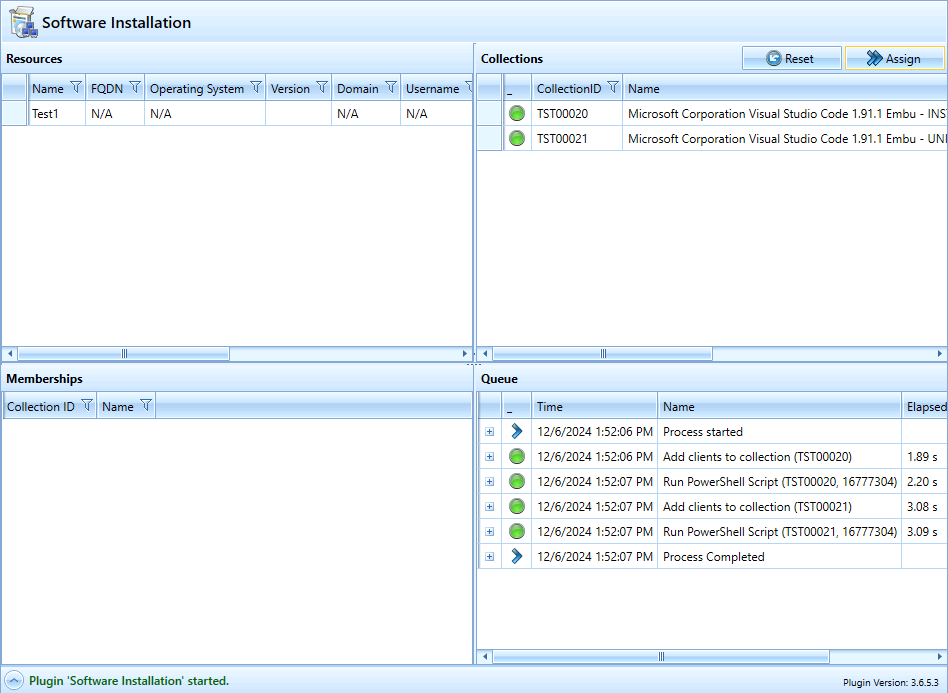
The “Software Installation” plugin is used to assign computers to collections. To do this, the user can create a list of computers and a list of installation collections. The “Migration” button allows the user to copy the assignments from another computer.
Existing collection memberships can be displayed as additional information.
Configuration
| Name | Description | Default value |
| CollectionDetailsQuery | The query returns additional information about the collections. By default: “Description”, “Tag”, ‘IsTaskSequence’, “IsStandard” |
Click to view1
2
3
4
5
<Controls>
<Control Type="ComboBox" Name="OSDSelection" FriendlyName="OPERATING_SYSTEM" IsEnabled="True" IsMandatory="False" IsVisible="True" IsInternal="True">
<Items />
</Control>
</Controls>
|
| CollectionQuery | The query returns the set of collections in the plugin. |
Click to view1
2
3
4
5
<Controls>
<Control Type="ComboBox" Name="OSDSelection" FriendlyName="OPERATING_SYSTEM" IsEnabled="True" IsMandatory="False" IsVisible="True" IsInternal="True">
<Items />
</Control>
</Controls>
|
| CollectionsByResourceQuery | The query returns the collections assigned to a specific client. |
Click to view1
2
3
4
5
<Controls>
<Control Type="ComboBox" Name="OSDSelection" FriendlyName="OPERATING_SYSTEM" IsEnabled="True" IsMandatory="False" IsVisible="True" IsInternal="True">
<Items />
</Control>
</Controls>
|
| EnableUpdateMembership |
Specifies whether “UpdateMembership” is triggered in MECM after the assignment. |
False |
| MaxCollections | The maximum number of collections that can be assigned | 20 |
| MaxComputersPerThread |
Clients are assigned in stages. With each stage, X computers are assigned to a collection. This value specifies the maximum number of computers.
Example: |
5 |
| PostActionScript | PowerShell script that runs after the assignment. (Optional) | / |
| PostActionScriptParameter | Parameters for the PowerShell script. (Optional) | / |
| PreventMultipleAssignments | Determines whether multiple assignments can be started at the same time. | False |
| UserCollectionMode | Specifies whether the collections are computer-related or user-related. | True |
Threads
Assignments are processed via a thread. This allows you to continue working with SCCM while the assignment takes place in the background.
Removing collection memberships
With the Software Assignment Plugin, computers can only be added to collections. However, removing membership rules is possible indirectly.
If a computer is added to an uninstallation collection, it is automatically removed from the corresponding installation collection, and vice versa.
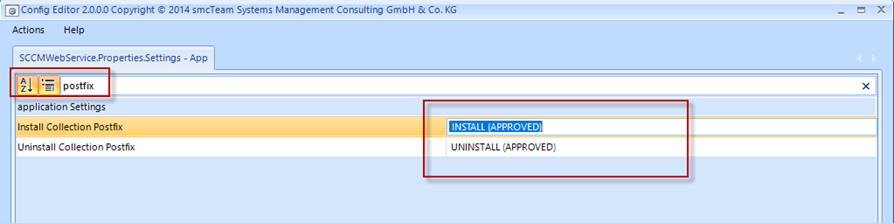
For this to work, you simply need to set the following two configuration parameters in the Web Service.
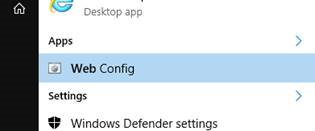
1. Launch the Web Config Editor on the server
2. Search for “postfix”; this will return the following two values:
Example
Initial state
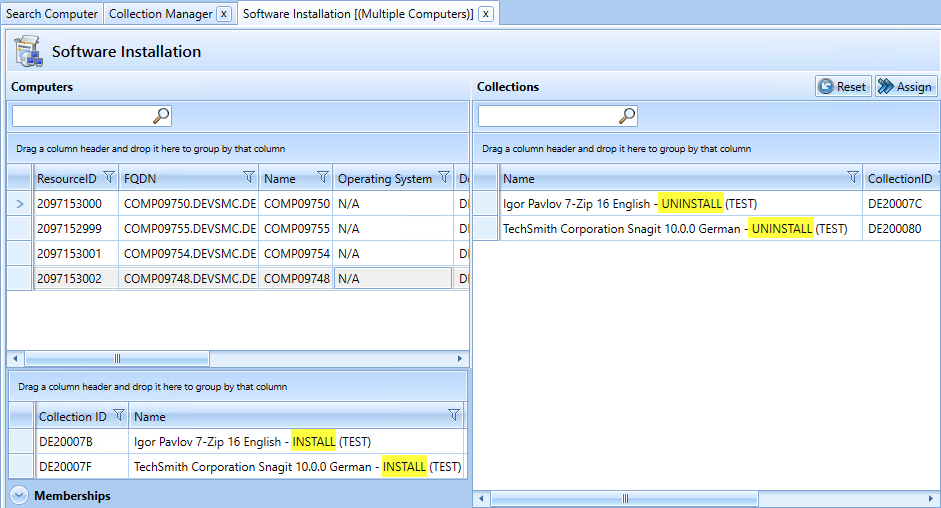
After executing via “Assign”:
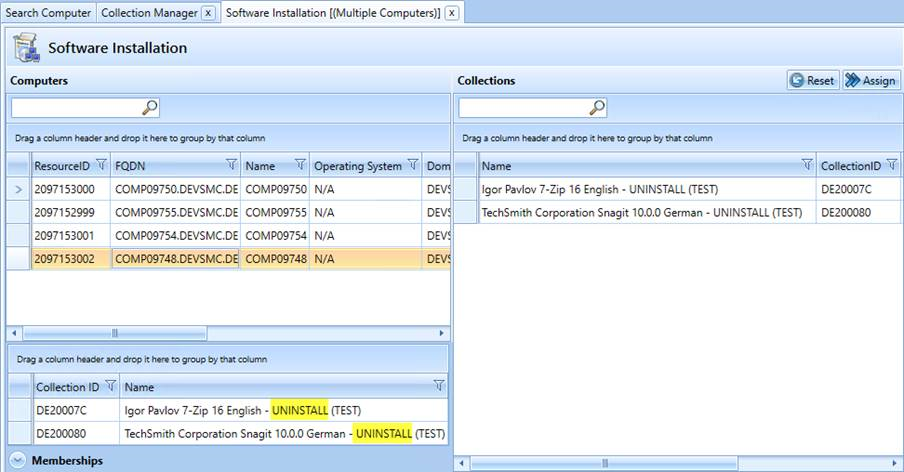
Those computers are no longer members of the installation collections.
Default Plugin Integration
- Assembly: SoftwareAssignmentPlugin
- Name: SOFTWARE_INSTALLATION (gets translated)
- Icon: box_software_clients.png
- SelectedComputer: UserDefined