Collection Editor
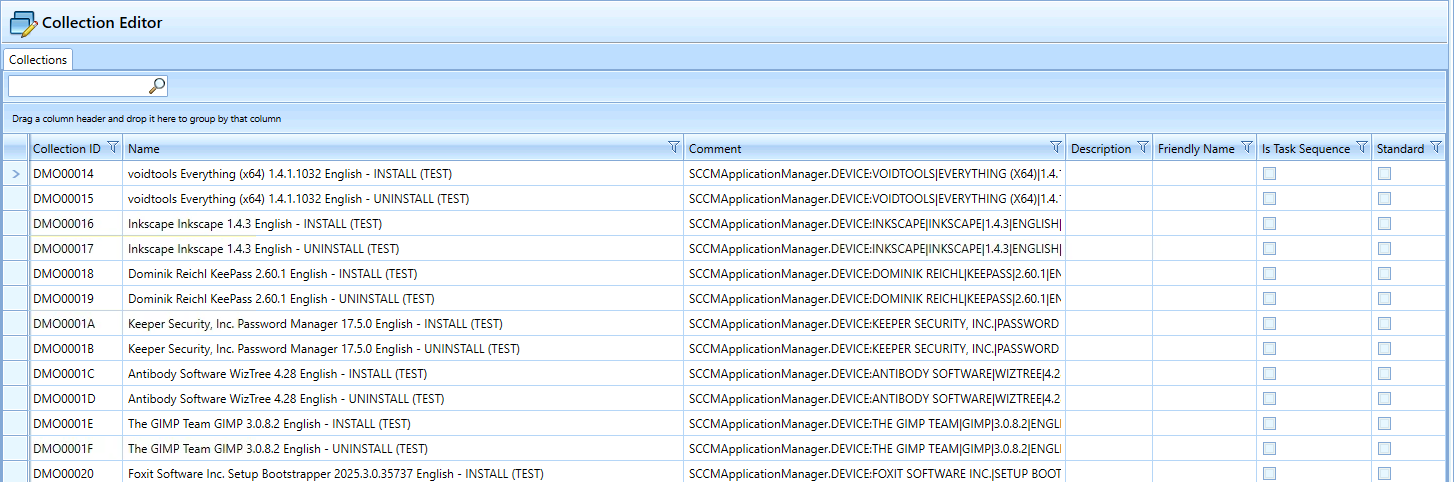
The “Collection Editor” plugin allows you to add and manage additional information for SCCM collections. This additional information is stored in the SCCM Manager database and can be used, for example, to label collections.
The “Standard” and “Is Task Sequence” fields serve as freely configurable flags with no specific technical function, e.g., to mark collections used within a task sequence.
The “Standard” and “Is Task Sequence” fields serve as freely configurable flags with no specific technical function, e.g., to mark collections used within a task sequence.
Edit collection
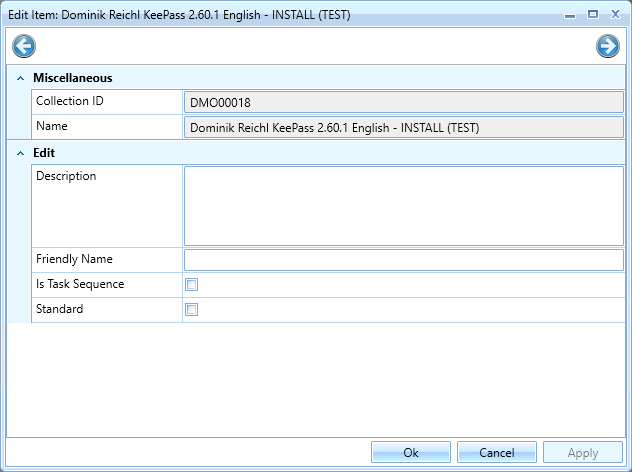
A collection can be opened for editing by double-clicking it or using the context menu.
In the editing window, you can modify the following values:
- Description: Description of the collection
- Friendly Name: Alternative, customizable display name
- Is Task Sequence: Flag indicating whether the collection is assigned to a task sequence
- Standard: Customizable flag for internal marking
Plugin configuration
| Parameter | Description | Default value |
| CollectionDetailsQuery | SQL query to retrieve additional information for the SCCM collections. “CollectionID” is required to link the entries to the results from the “CollectionQuery”. |
Click to view |
| CollectionQuery | SQL query for the SCCM collections to be displayed for editing. |
Click to view |
Default Plugin Integration
- Assembly: CollectionEditorPlugin
- Name: COLLECTION_EDITOR (to be translated)
- Icon: elements_edit.png
- SelectedComputer: None