Introduction
This documentation provides a guide to the installation, configuration and use of SCCM Manager and its plugins. It also outlines possible use cases and how to implement them in SCCM Manager.
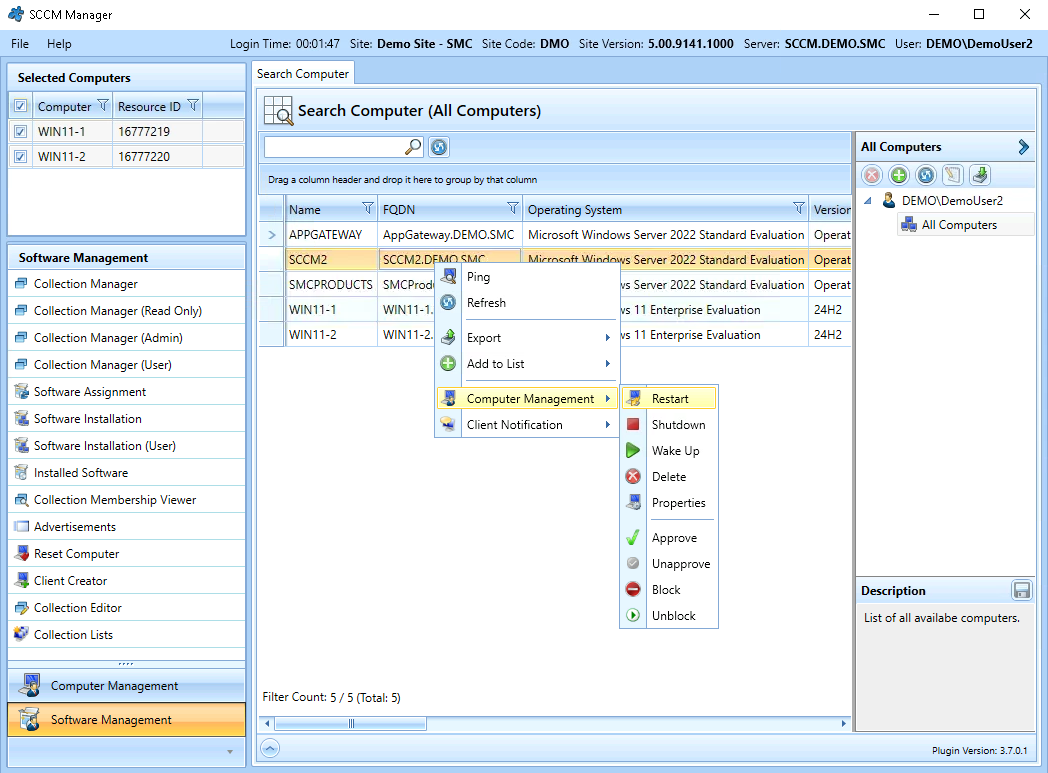
The client application’s graphical user interface offers a range of customisation options. For example, it is possible to add extensions in the form of plugins and to adjust their positioning, visibility, functionality and permissions.
Particularly noteworthy are the numerous options for extending the available functions. Existing web applications or external Windows applications can be integrated and made available to specific user groups. Furthermore, the included PowerShell plugin enables the integration of custom scripts for use with WinRM. If a custom user interface is required for this, it can be implemented via a self-developed plugin. This is made possible in a straightforward manner by the existing application programming interface (API).