Client Operations
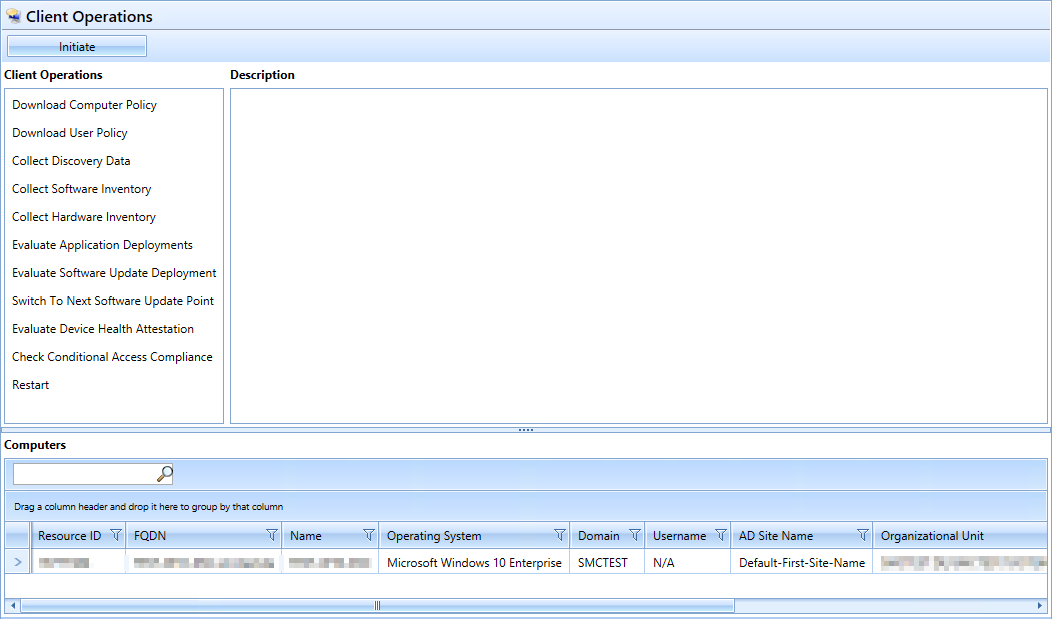
The “Client Operations” plugin allows you to instruct selected computers to perform various actions.
Default Plugin Integration
- Assembly: ClientOperationPlugin
- Name: CLIENT_OPERATIONS (to be translated)
- Icon: workplace_flash.png
- SelectedComputer: Multiple
Supported Functions:
- DownloadComputerPolicy:
Downloads the current computer policy from SCCM.
Includes device settings, deployments, and assignments that apply at the computer level. - DownloadUserPolicy:
Updates user policies.
Required when user-specific applications, compliance rules, or deployments are assigned. - CollectDiscoveryData:
Starts a hardware discovery (DDR).
The client collects and sends discovery data (resource data) to the SCCM server, such as basic system information. - CollectSoftwareInventory:
Starts a software inventory.
The client scans installed software and executable files and sends the inventory data to the SCCM server. - CollectHardwareInventory:
Starts a hardware inventory.
The client collects information such as BIOS, CPU, memory, drives, network cards, etc., and transmits it to the SCCM server. - EvaluateApplicationDeployments:
Starts a review of all software deployments.
The client checks which applications need to be installed, repaired, or reinstalled. - EvaluateSoftwareUpdateDeployment:
Starts an evaluation of software update deployments.
The device checks which updates are missing or need to be reinstalled. - SwitchToNextSoftwareUpdatePoint:
Prompts the client to switch to the next available Software Update Point (SUP). - EvaluateDeviceHealthAttestation:
Initiates a Device Health Attestation (DHA) check.
The client sends health metrics such as SecureBoot, BitLocker status, and Trusted Boot status to SCCM. - CheckConditionalAccessCompliance:
Start the device compliance check for Conditional Access (Azure AD).
This determines whether the device meets the requirements for accessing cloud resources. - Restart:
Forces the client system to restart.