Event Viewer
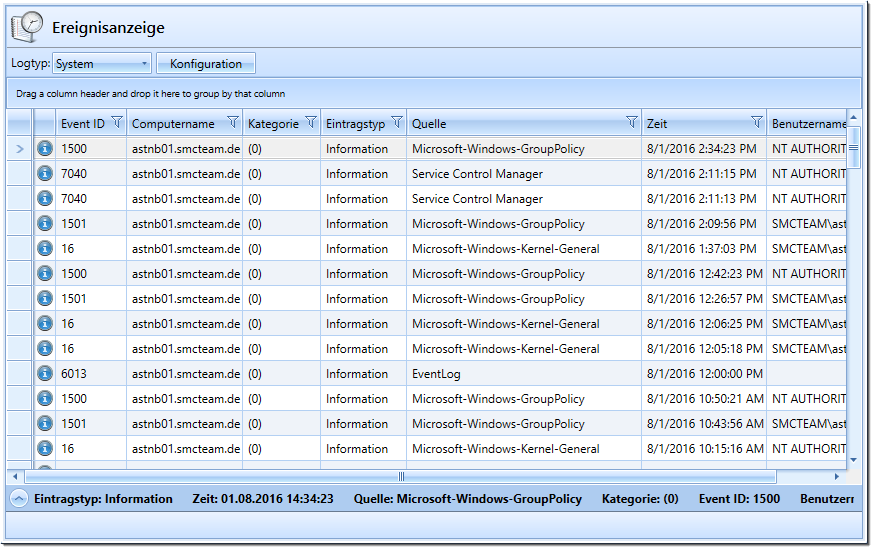
The “Event Viewer” plugin allows you to view the Windows Event Viewer on a selected computer. It supports the standard event logs “System,” “Application,” and “Security.”
Plugin configuration
| Configuration | Description | Default value |
| DefaultInfoBarHeight |
This log is displayed by default. |
150 |
| DefaultLogType | Height of the information display in the lower part of the screen. | System |
Default Plugin Integration
- Assembly: EventLogsPlugin
- Name: EVENT_LOGS (gets translated)
- Icon: history2.png
- SelectedComputer: SingleWithPing