Collection Membership Viewer
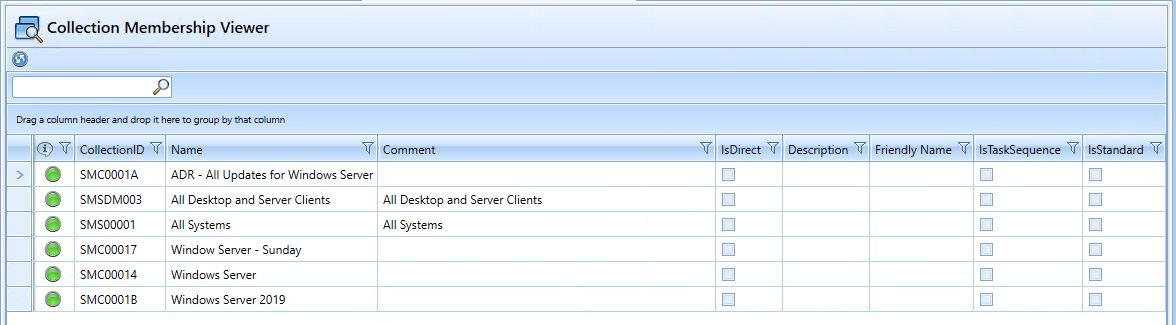
The “Collection Membership Viewer” plugin displays all collections to which the selected client belongs. Additionally, individual collections can be refreshed, or the client can be removed from a direct membership.
Update membership
SCCM refreshes collection memberships at specific intervals.
This feature allows you to manually trigger the refresh.
This is only possible for Direct Rules (IsDirect).
Remove from collection
If this feature is enabled in the configuration, the client can be removed from a collection.
This is only possible for Direct Rules (IsDirect).
SCCM internal
The status indicator shows whether the respective collection is “SCCM-internal” ready or has been successfully processed.
Plugin configuration
| Configuration | Description | Default value |
| AllowUpdateMembership | Enables/disables the ability to trigger “Update Membership” operations | False |
| DetailsQuery |
SQL query to retrieve additional information about the collection. For example: Description, Tag, IsTaskSequence
|
Click to view
|
| Query | SQL query to determine collection memberships |
Click to view |
| StateCheckQuery |
SQL query to check the assignment status of a computer object to a collection. The “CheckValue” column must be returned. If the query returns a result, a green traffic light icon is displayed in the graphical interface; otherwise, a yellow icon is displayed. The query supports various replacement parameters:
|
Click to view
|
Default Plugin Integration
- Assembly: CollectionMemberShipViewerPlugin
- Name: COLLECTION_MEMBERSHIP_VIEWER (to be translated)
- Icon: elements_view.png
Supported Functions:
- ALLOW_REMOVE_FROM_COLLECTION: When this option is selected, the context menu will include an entry to remove the selected computer object from the respective collection.