Security settings
The architecture of SCCM Manager offers various options for controlling access to its services and to various SCCM objects.
Control Panel
User group permissions can be defined in each feature group and each subordinate plugin. As a result, SCCM Manager will only display the areas for which the respective user group has permission. These security settings only become active once the Enable Security option 

 has been activated.
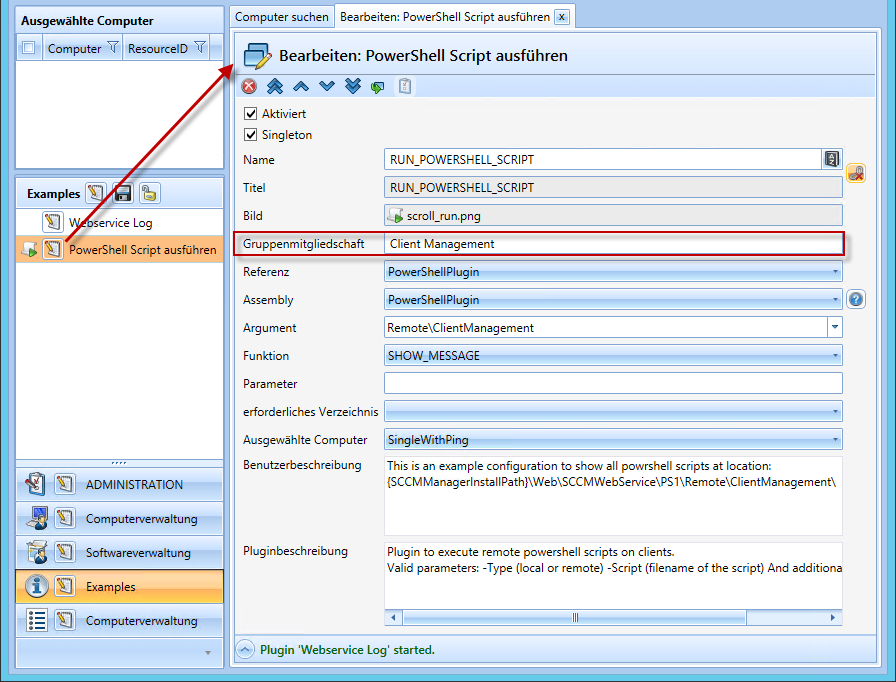
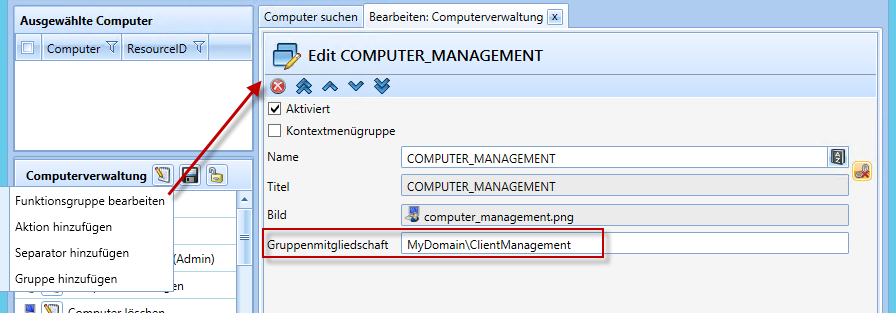
Multiple groups can be specified, separated by |. Example: Domain\Group1|Domain\Group2|Domain\Group3
In addition, the wildcard character * can be used to achieve dynamic group permissions. Example: Domain\Prefix-*-Postfix
Please note that some plugins can be integrated multiple times with different configurations, enabling particularly granular permission control.
Computer Scoping
Group-based computer filtering can be enabled in the web service’s web.config configuration file. The configuration parameter for this is ComputerFilterEnabled. Group permissions are set in the UserPermissions.xml configuration file.
Client Authentication
This functionality is required when communication with clients is to take place across domains, or when the server is not listed as a local administrator on the clients to be managed. One user with administrator privileges can be specified per domain. For further information, see Configuration / Web Service / Credentials.
SOAP Header Security
To ensure that only specific applications can interact with the SCCM Web Service, you can enable SOAP header security. This means that access is only possible with a specific SOAP header. This header can be generated using the included class library SCCMWebService.Token.dll. You will also need to modify the configuration file Token.xml. Further information on this can be found under API / Web Service API.