Windows Remote Management
Most client management functions are carried out remotely via PowerShell using WinRM. The clients to be managed must be configured for this purpose.
Information on Windows Remote Management
Configuration on a managed client
Command line: winrm qc -quiet -transport:http –force
This will ...
- start the WinRM service and set its startup type to Automatic
- create a “listener” to accept incoming connections
- set the default port to 5985
- add a firewall rule
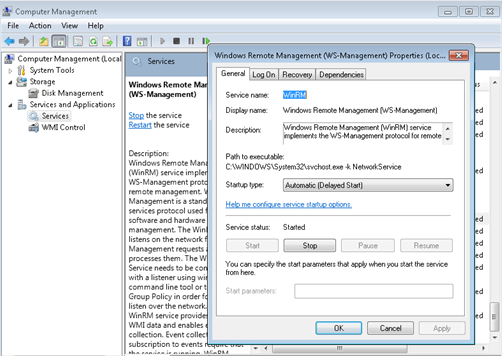
For security reasons, the port can be changed. To do this, enter the following command:
winrm set winrm/config/Listener?Address=*+Transport=HTTP @{Port="1234"}
The firewall rule should then be adjusted accordingly for this port.
Signed PowerShell scripts and different domains
If your domain security policies require signed PowerShell scripts, you must modify all scripts within the PS1 directory of the SCCM Manager Server installation.
{Installationpath}\PS1\DEFAULT
If you wish to manage clients in different domains and the scripts need to be signed differently accordingly, proceed as follows.
- Copy the ‘DEFAULT’ directory and rename it to the domain name (e.g. SMCTEAM.DE)
- Sign the scripts within the new script directory accordingly
- In the web service configuration, enable the PSEnabledDomainFolderLookup setting
- If a client’s domain can now be resolved correctly, the appropriate script directory will be used.