Packs
This feature of the Asset Manager is only available if the logged-in user has the Administrator role.
Packs within the Asset Manager contain selections of objects from the navigation bar on the left side of the application. They can be used for sharing between different Asset Manager instances, as backups, or they may be provided by the manufacturer.
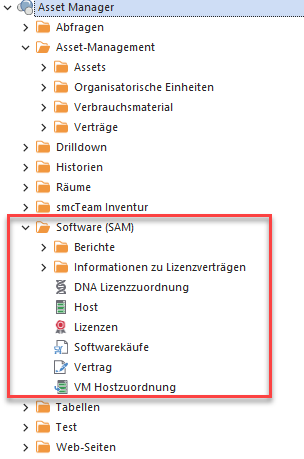
Packs can contain all objects that can be created with the Asset Manager:
Creation
When creating packs, there are a few rules to follow:
- Packs can only be created from a folder.
- Packs always contain all objects located within the selected folder.
- Care must be taken to ensure that objects within a pack are consistent. For example, tables referenced within queries should also be part of the pack. Web pages that point to local resources are unsuitable for a pack, as they cannot be accessed from other locations.
- Since tables within a pack may optionally contain unencrypted data, care must be taken to ensure that this data does not constitute personal information that could be inadvertently disclosed.
- Permissions on objects are not part of packs.
Import
There are also several rules to follow when importing a pack into an existing Asset Manager instance:
- Packs can be imported into a folder or into the root folder.
- Objects contained in a pack must not already exist in the target system.
- After importing packs, the imported objects are immediately visible to everyone, and everyone initially has full access to them until other permissions are granted.
- Within an Asset Manager instance, a pack can only be imported if the pack’s version is less than or equal to the version of the Asset Manager and its services.
The following video shows how to create a pack and then import it: