Transfer of content via file export
The SCCM Teleporter supports the transfer of MECM content via file export (tp1 file) to enable transfer between physically separate environments.
When using file export, the same functions are available as when transferring objects directly using drag & drop.
Export
The export is performed in the left pane (Source).
After reading the site content, the selection can be exported as a tp1 file.
All content in the data grid is exported; during import, content to be imported can be selected.
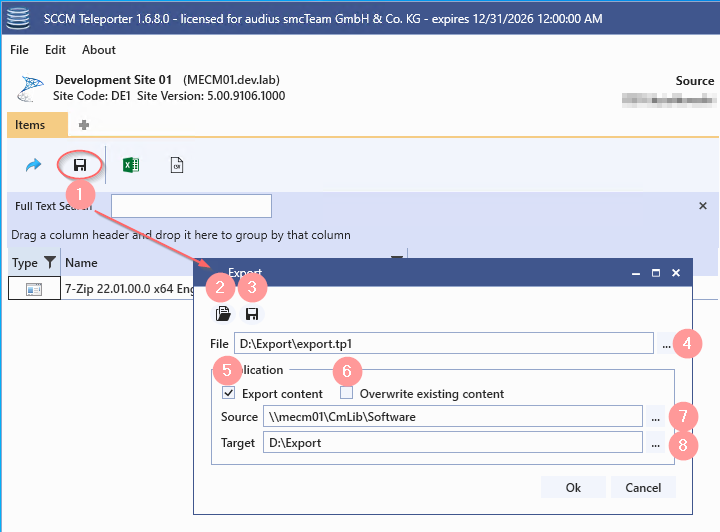
| Marking | Description |
| 1 | Open dialog to export content |
| 2 | Apply saved settings (open tpes file) |
| 3 | Save settings (create tpes file) |
| 4 | Specification of the export file (tp1) |
| 5 | Copy sources to the target directory |
| 6 | Overwrite existing files (prerequisite point 5) |
| 7 | Source root directory [...] opens UNC path selection dialog [Ctrl] + [...] opens directory selection dialog |
| 8 | Source-Destination Directory [...] opens UNC path selection dialog [Ctrl] + [...] opens directory selection dialog |
Import
The import is performed on the right-hand side (target). After opening a tp1 file, all exported content appears in the data grid.
All elements in the data grid are imported. Content that is not to be imported can be removed from the data grid.
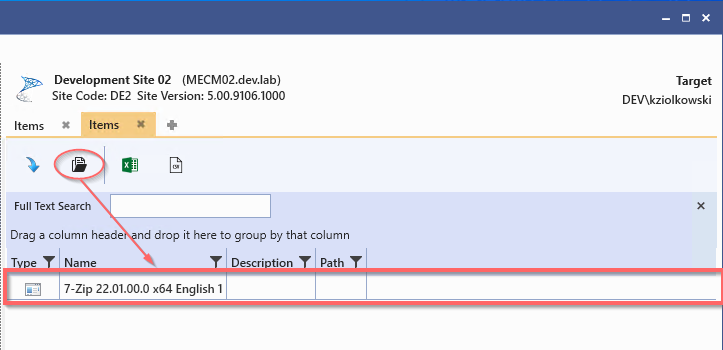
In the next step, the import dialog can be opened.
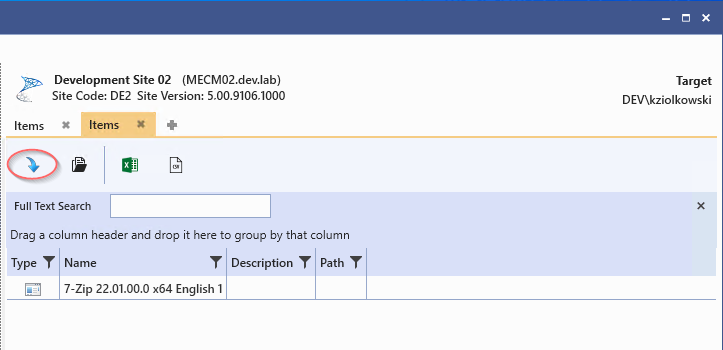
A detailed description of the import dialog can be found in the chapter Transferring site contents.
With one exception, the import process is identical to the import process for direct transfer via drag & drop:
When transferring objects via a tp1 file, the source path must be configured manually.
Example
In this example, an application is to be transferred from the "devsccm02" environment to the "allsccmpri01" environment using a .tp1 file.
When importing using tp1 files, the source path is not preconfigured.
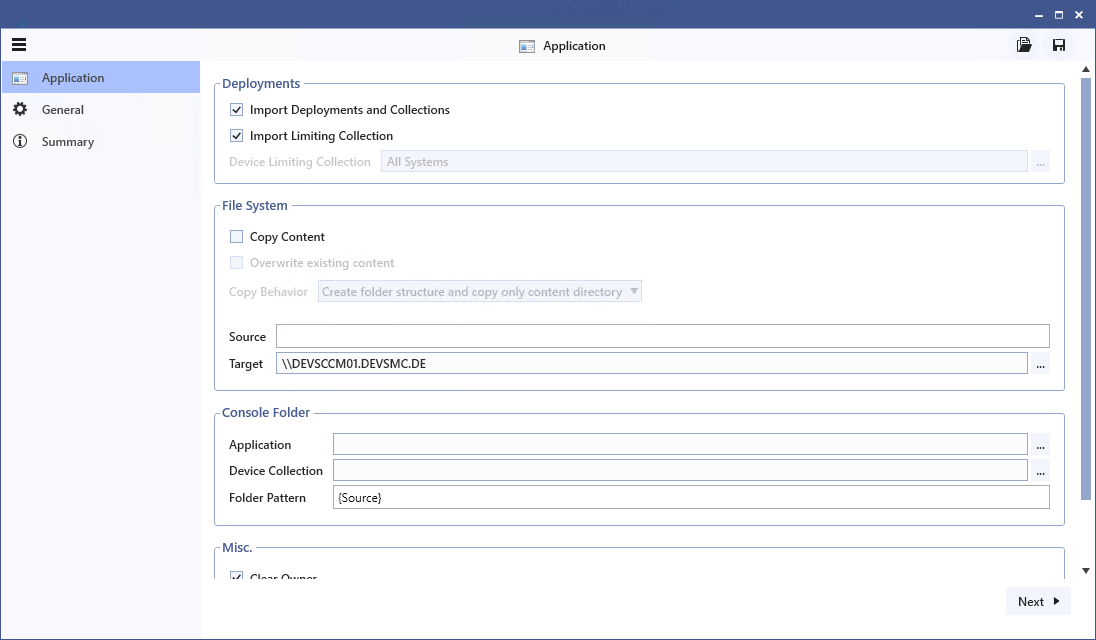
The source path of the imported application can be viewed in the summary.
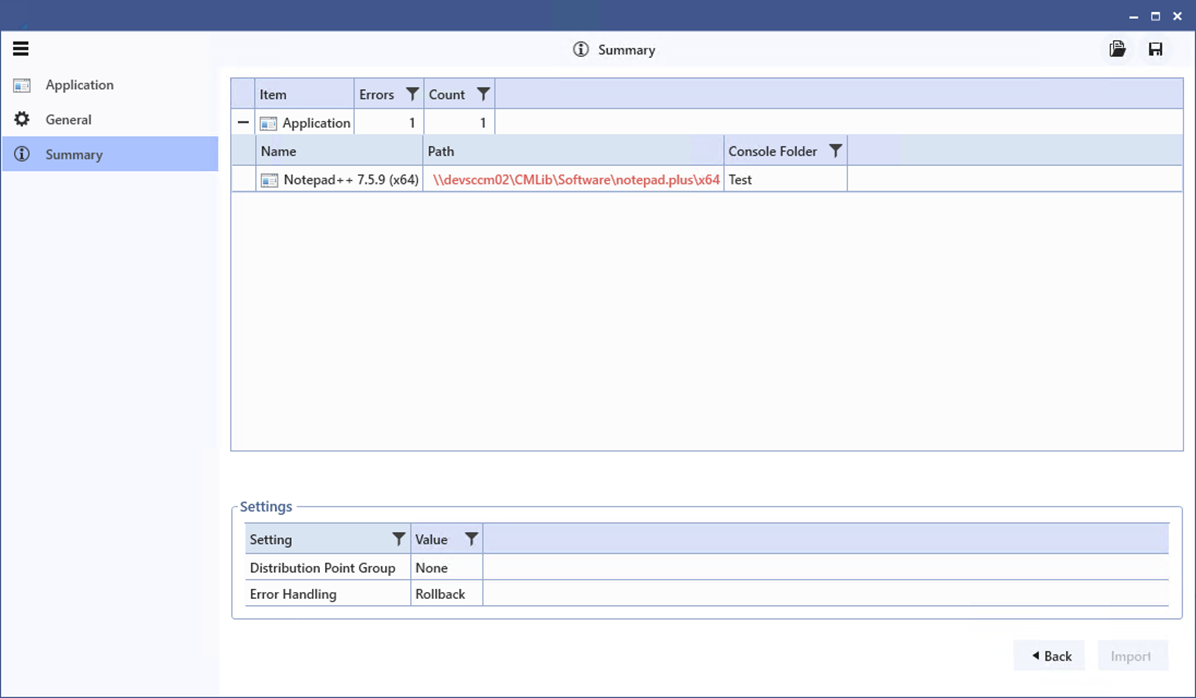
If the path is marked in red, this means that the source configuration for the object is invalid. In this example, the source path cannot be resolved.
Paths:
| Path | Value |
| Complete source path: |
\\devsccm02\CMLib\Software\notepad.plus\64x |
|
Intended target path: |
\\allsccmpr01\CMLib_TEST\Applications\notepad.plus\64x |
The path shows that the application is located in the directory "\CMLib\Software\notepad.plus\x64". In this example, the folder structure is to be adopted from "\Software" in the target path under "\Applications".
The source and target are configured as follows:
Configuration:
| Path | Value |
|
Source: |
\Software |
|
Target: |
\\allsccmpr01\CMLib_TEST\Applications\ |
Source is configured with "\Software".
This causes everything above and including "\Software" to be 'discarded'.
Everything below the directory "\Software" is appended to the configured target path.
From -> \\devsccm01\CMLib\Software\notepad.plus\64x
Becomes -> \\devsccm01\CMLib\Software\notepad.plus\64x
The remaining part "\notepad.plus\64x" is then attached to the configured target.
From -> \\allsccmpr01\CMLib_test\Applications\
becomes -> \\allsccmpr01\CMLib_test\Applications\notepad.plus\64x
When importing content via .tp1 files, the Copy Content option cannot be used. The content must be transferred first.
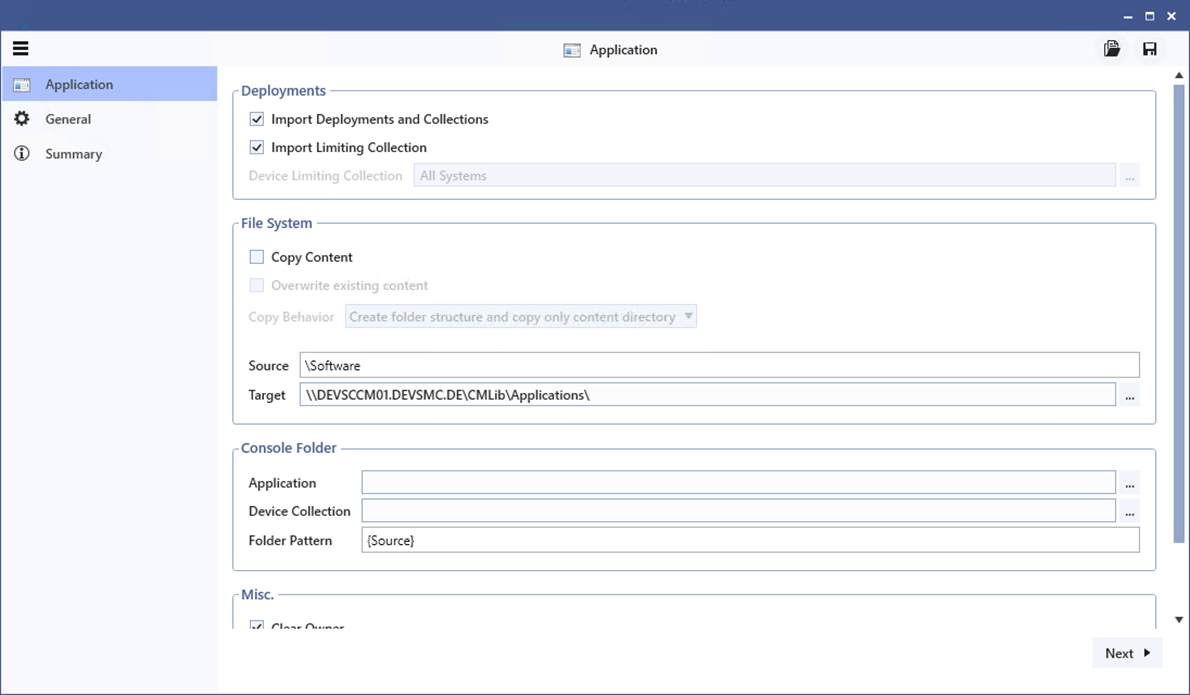
These settings configure the source path of the application as "\\DEVSCCM01.DEVSMC.DE\CMLib\Applications\notepad.plus\x64".
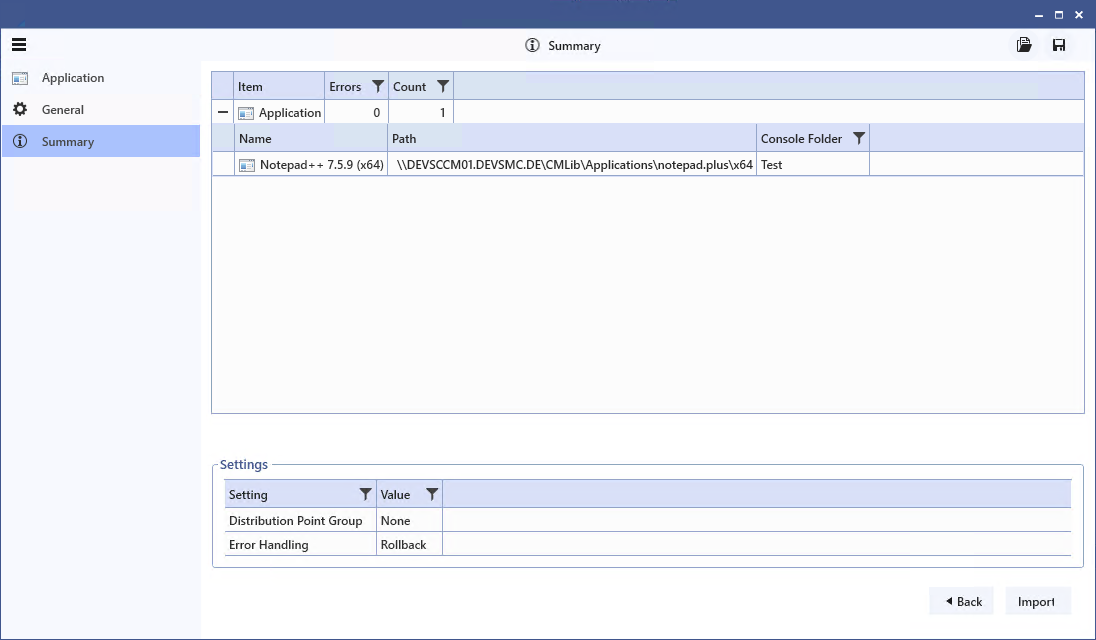
The summary shows that this path can be resolved.