Server Configuration Client Loader
The client loader is configured using YAML files.
You can open an editor to edit these configuration files via the ‘SCCM Manager Client Setup’ shortcut in the Start menu or using the
You can open an editor to edit these configuration files via the ‘SCCM Manager Client Setup’ shortcut in the Start menu or using the
-Setup parameter.AppConfig.yml
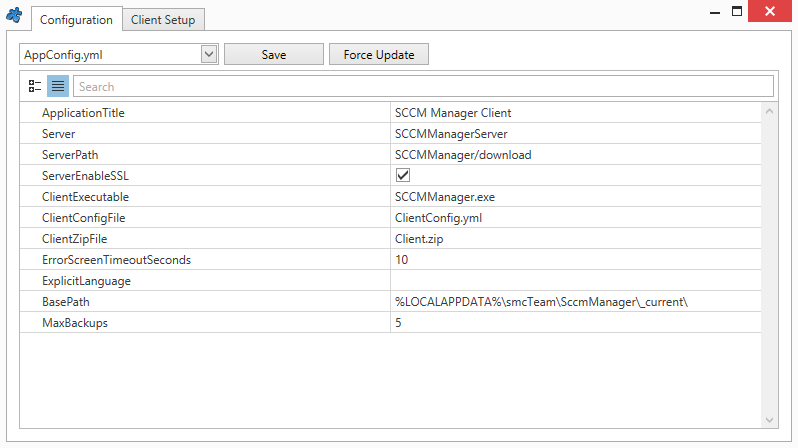
| Parameter | Explaination |
| Application Title | Name of the application |
| Server | The SCCM server |
| Server Path | Path to the SCCM Manager ‘Client.zip’ |
| Server Enable SSL | Enabled: Download via HTTPS |
| Client Executable | Client executable file (SCCMManager.exe) |
| Client Config File | File name of the client configuration file |
| Client Zip File | Name of the client file to be downloaded |
| Error Screen Timeout Seconds | Duration of error messages |
| Explicit Language | Two-letter ISO language code, if the system language is to be ignored |
| BasePath | Subdirectory for the directory structure under %LOCALAPPDATA% |
| Max Backups | Maximum number of backups |
ClientSetup.yml
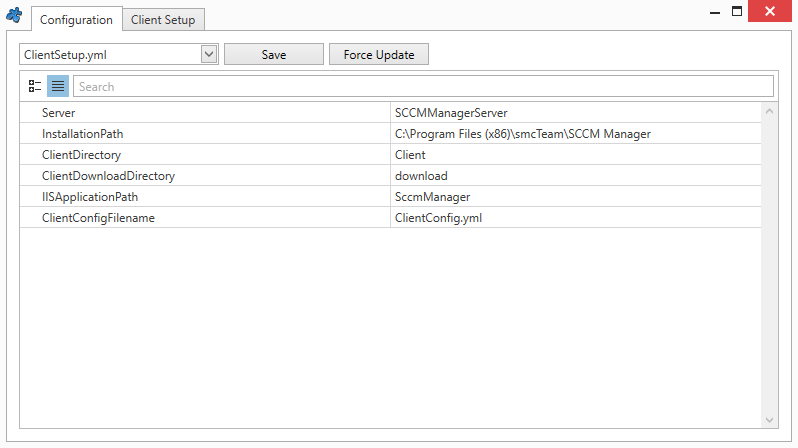
| Parameter | Explaination |
| Server | The SCCM server |
| Installation Path | Installation path of the SCCM Manager |
| Client Directory | The directory in which the client is located. Relative to the installation path |
| Client Download Directory | The directory containing the Client.zip file that is downloaded from the server. Relative to the installation path |
| IISApplication Path | Path to the web service |
| Client Config Filename | Name of the client configuration |
ClientConfig.yml
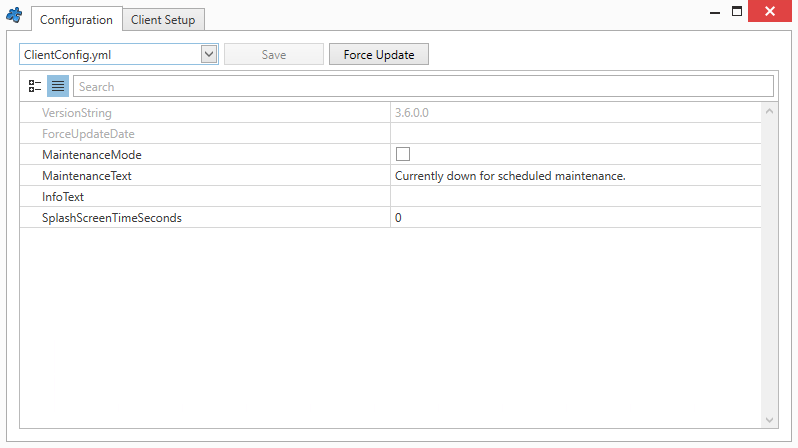
| Parameter | Explaination |
| Version String | Client version. This is set automatically when the ‘Client Zip File’ is created. |
| Force Update Date | Sets the date on which the latest version will be downloaded, regardless of which version the client currently has. Set by ‘Force Update’ |
| Maintenace Mode | Enabled: Maintenance Mode; during this time, the SCCM Manager cannot be used |
| Maintenace Text | Information text displayed when starting in maintenance mode |
| Info Text | Information text displayed at start-up |
| Splash Screen Time Seconds | Maximum display duration of the splash screen (0 = no timeout) |