Open AI - Speech Service
This feature of the Asset Manager is only available if the logged-in user has the Administrator role.
ChatGPT
Using ChatGPT in Asset Manager allows users without SQL experience to perform complex database queries and generate the necessary queries, enabling them to leverage the benefits of SQL in their workflow and to use ChatGPT as usual.
To integrate ChatGPT into Asset Manager and work with it, you must register with OpenAI; an API key from OpenAI is required. Follow the registration instructions and activate the necessary services.
To use the API key you received, enter it in the API Key field in the Asset Manager settings.
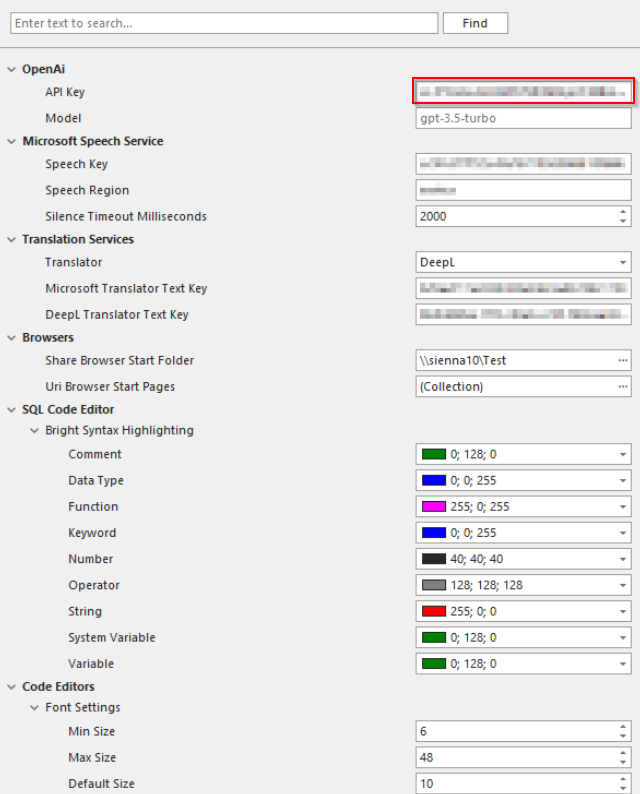
Once the API key has been saved, you can use the OpenAI functionality by clicking the corresponding button.

This icon allows you to send a message to OpenAI, or you can press the F6 key instead.

Clicking this icon or pressing the F8 key will clear or delete all the text.

Speech Service
Asset Manager includes a new feature that makes working with ChatGPT easier and faster, offering users improved efficiency.
Azure Speech Service is a cloud-based speech service from Microsoft Azure that enables the conversion of spoken language into text (speech recognition) as well as the conversion of text into spoken language (speech synthesis).
To enable Microsoft Speech Service in Asset Manager, registration is required, as described here.
Using these API keys, Asset Manager gains access to the speech processing and speech recognition functions.
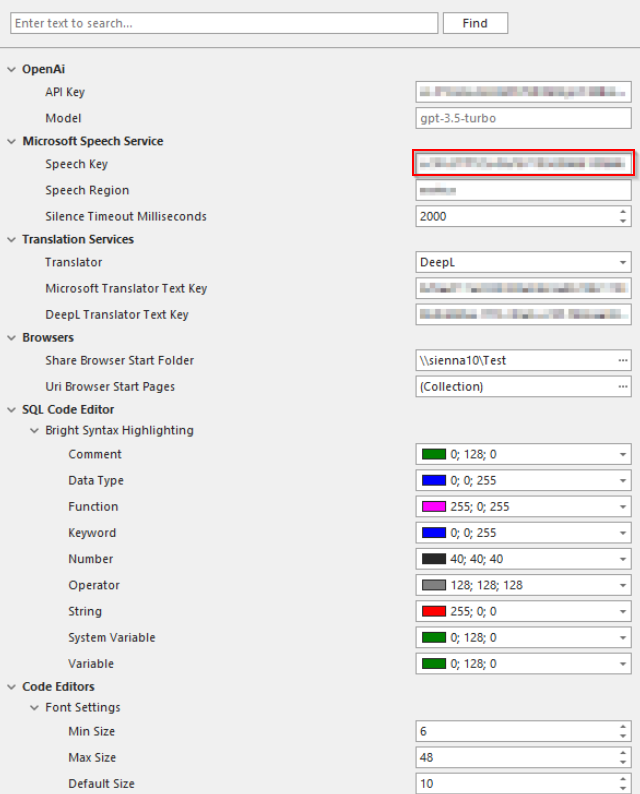
By selecting a specific speech region, the user can control the geographic area in which the speech data is stored and processed.

After activating the Speech Service, the user can select their microphone.

This button allows the user to start recording (F5 key).
