Motivation and Objectives
The Asset Manager Web Client expands the proven asset management solution with a modern, web-based user interface. The motivation behind this is to enable access to asset data regardless of location and across platforms. Users should no longer be dependent on the installed desktop application, but should be able to conveniently view and edit assets via a web browser—whether in the office, working from home, or on the go.
Users of the Asset Manager Web Client benefit from virtually the same range of features they are accustomed to in the classic Asset Manager—all user-relevant functions have been fully integrated, while specific administrator functions have been intentionally omitted to ensure a focused and user-friendly web interface.
Key objectives in the development of the web client were:
- Improved accessibility: Quick access to information without installation—all you need is a browser.
- Modern user experience: An intuitive, fresh interface based on modern web standards that works consistently across all devices.
- Broader user base: Even occasional users (e.g., managers or employees without an IT background) should be able to easily access overviews and reports without having to learn the desktop app.
- Complement rather than replacement: Existing Asset Manager users gain additional flexibility, while the established desktop client remains available for specific use cases.
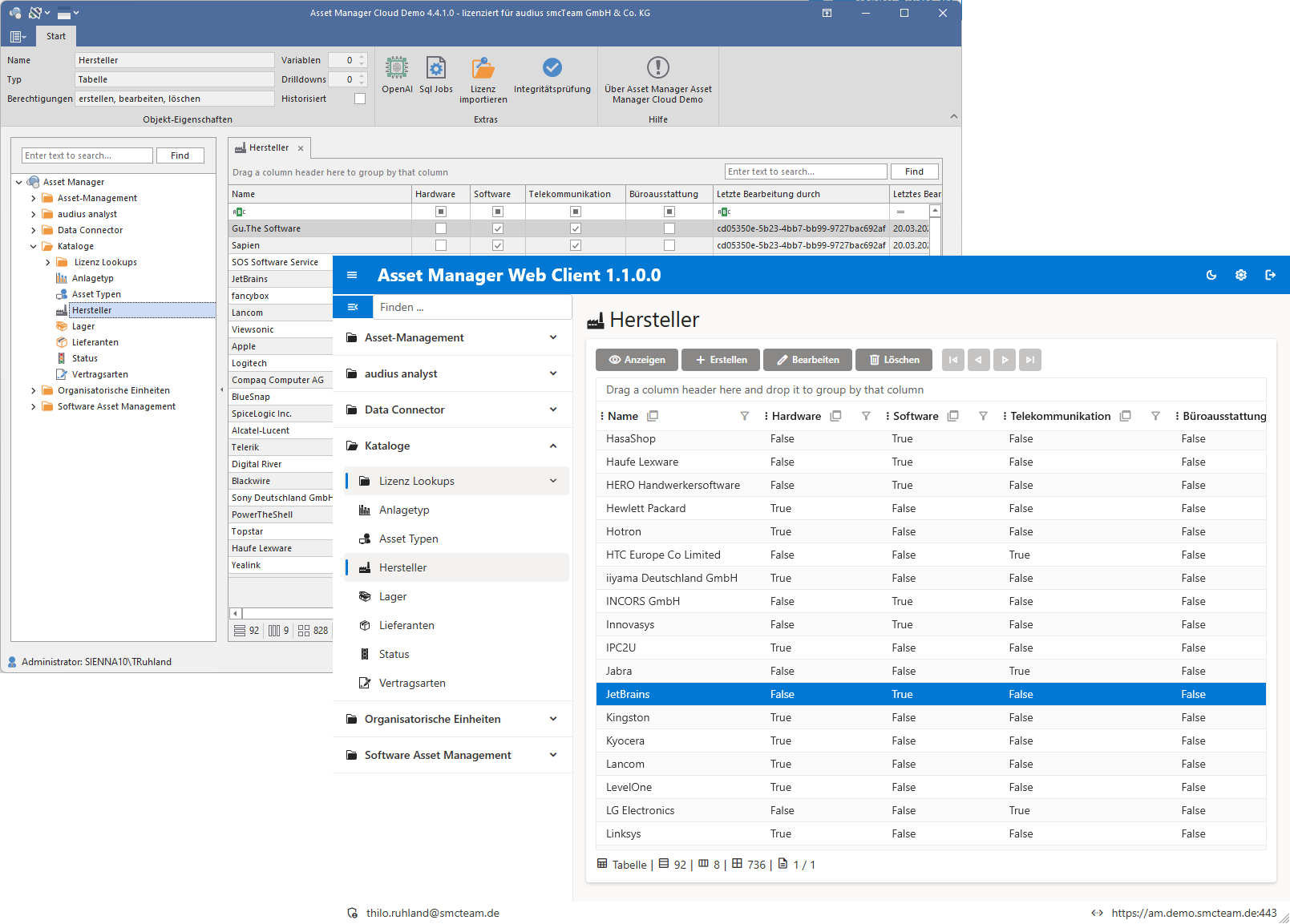
Advantages of the web solution as a complement to the classic Asset Manager
The Web Client offers several advantages and effectively complements the classic Asset Manager without competing with it:
- No installation required: Unlike the desktop application, the Web Client does not need to be installed on every device. All you need is a modern web browser. This makes it easier for external partners or mobile employees to access the system.
- Platform independence: While the classic client is used on Windows PCs, the Web Client works on virtually all operating systems (Windows, macOS, Linux) and device types (desktop, laptop, tablet, smartphone). This means, for example, that employees with Apple or Linux devices can also use the Asset Manager.
- Always up to date: Since the web interface is provided centrally, all users automatically work with the latest version of the software. Updates on the server mean immediate access to the latest functionality for everyone—there is no need for maintenance on individual clients.
- Work on the go: The Web Client allows you to access asset data while on the go—for example, during business trips or while working from home. For example, a technician can update an asset record on a tablet while on-site at a customer’s location, or a decision-maker can retrieve current key metrics during a meeting.
- Lower barriers to entry: For occasional users who only need to view or edit data from time to time, quick browser access is simpler and more intuitive. They don’t have to navigate a complex Windows application.
- Expanded reach: Overall, the web solution increases the acceptance and adoption of asset management within the company, as virtually anyone—regardless of device or location—can be included. The Web Client thus expands the scope of application, while proven processes in the desktop client remain in place.
Supported Platforms and Technologies
The new Asset Manager Web Client was developed using modern technologies to ensure performance, security, and future-proofing:
- Cloud-enabled .NET platform: The Asset Manager Service (server component) and the Web Client are based on .NET (Long Term Support). This platform-independent technology allows operation on Windows and Linux servers, as well as on macOS systems. Companies can thus flexibly host the Asset Manager on-premises or in the cloud.
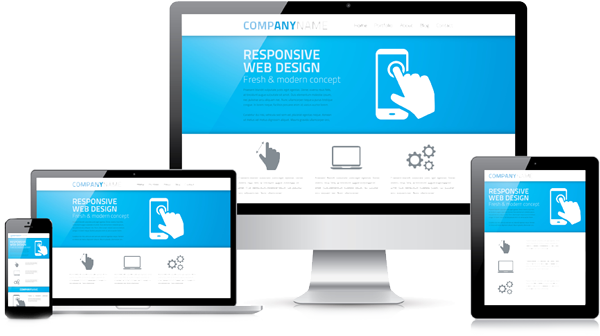
- Modern Web Standards: The client is a pure web application, compatible with current browsers such as Google Chrome, Mozilla Firefox, Microsoft Edge, or Safari. HTML5 and responsive web design are used to ensure an optimized display on different screen sizes.
- Mobile-first approach: During development, special emphasis was placed on ensuring a good user experience on mobile devices. The interface dynamically adapts to tablets and smartphones (touch controls, optimized layouts) without losing any functionality. Nevertheless, it works just as well on the desktop in a large browser window.
- Performance and scalability: Thanks to efficient programming with .NET Core technologies, the Asset Manager Service can efficiently handle hundreds of concurrent web requests. The architecture is designed to be scalable to accommodate growing data volumes and user numbers.
- Security: The web solution supports HTTPS encryption for secure access over networks and the Internet. In addition, it integrates seamlessly into existing security infrastructures (e.g., firewalls, reverse proxies, or VPN access for external connections).
Login and Access Options
The Asset Manager Web Client relies on integrated authentication, allowing users to conveniently log in with their existing corporate credentials. Supported options include:
- Microsoft Entra ID (formerly Azure Active Directory): This enables modern cloud authentication and single sign-on. Users log in with their Office 365/Entra account and gain access to the Asset Manager based on their permissions—without having to manage separate login credentials.
- Klassisches Active Directory (AD): For on-premises installations, the Web Client can be connected to an existing AD. Users on the corporate network then log in with their Windows account. Permissions and roles from the Asset Manager are applied as usual.
Key Features of the Web Client
The Asset Manager Web Client is 100% compatible with the existing Asset Manager Service, ensuring that no functionality is lost. The Web Client offers the following key features in particular:
- Viewing and editing asset data: All asset information can be viewed in the Web Client and—depending on permissions—edited directly. The data is typically presented in tabular form or in detailed forms. Users with the appropriate permissions can add, modify, or delete entries. Changes are immediately saved via the central Asset Manager Service, so that desktop users can also see them.
- Filtering, grouping, and sorting: The web interface offers powerful table functions for handling large amounts of data. Users can filter data lists by criteria (e.g., all assets of a specific type or location), sort entries by any column, or group them (e.g., grouped by department or status). This allows everyone to quickly find relevant information and perform ad hoc analyses.
- Queries: Predefined queries stored in the Asset Manager Service can be executed directly in the Web Client. For example, with a single click, a user can retrieve a report of all contracts expiring soon without having to enter the criteria manually.
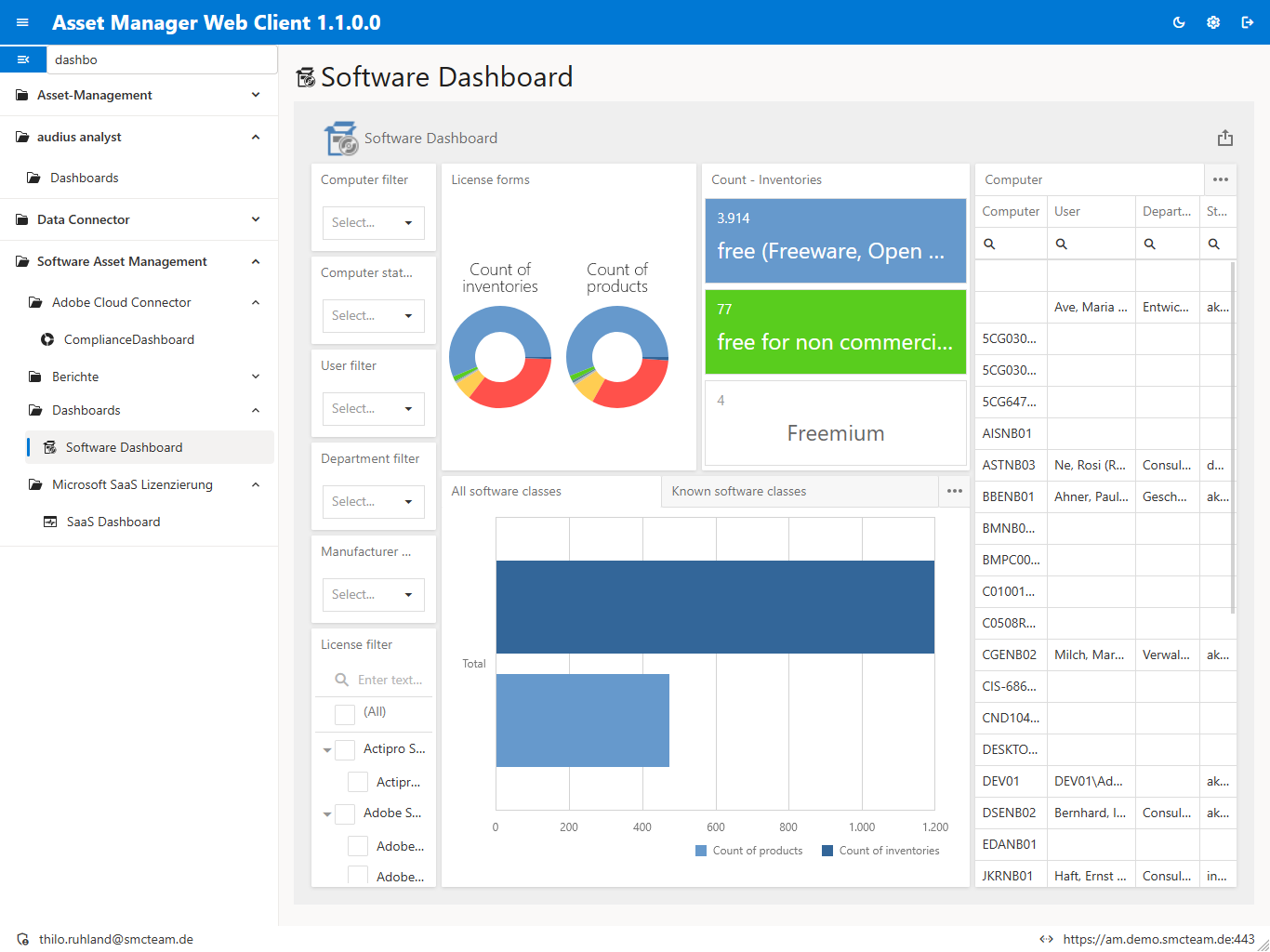
- Dashboards and Reports: The Web Client supports the display of interactive dashboards and standardized reports. Decision-makers can view graphical analyses, charts, and reports via their browser, all based on live data from the Asset Manager. These visualizations are identical to those in the desktop version, ensuring consistent reporting.
- Multilingual Support: The Web Client’s user interface is bilingual and can be used in German or English. Each user can switch the language as needed. This is particularly advantageous in international companies, as it allows the same system to be used by both German- and English-speaking users.
- Customization options: Similar to the desktop client, the web client also allows users to make certain customizations. These include, for example, different color schemes—light and dark themes are available to adapt the application to personal preferences or ergonomic needs (e.g., working in a dark environment).
- Mobile optimization: As mentioned, the interface is optimized for touch devices. Features such as scrolling and input fields are easy to use on tablets and smartphones.
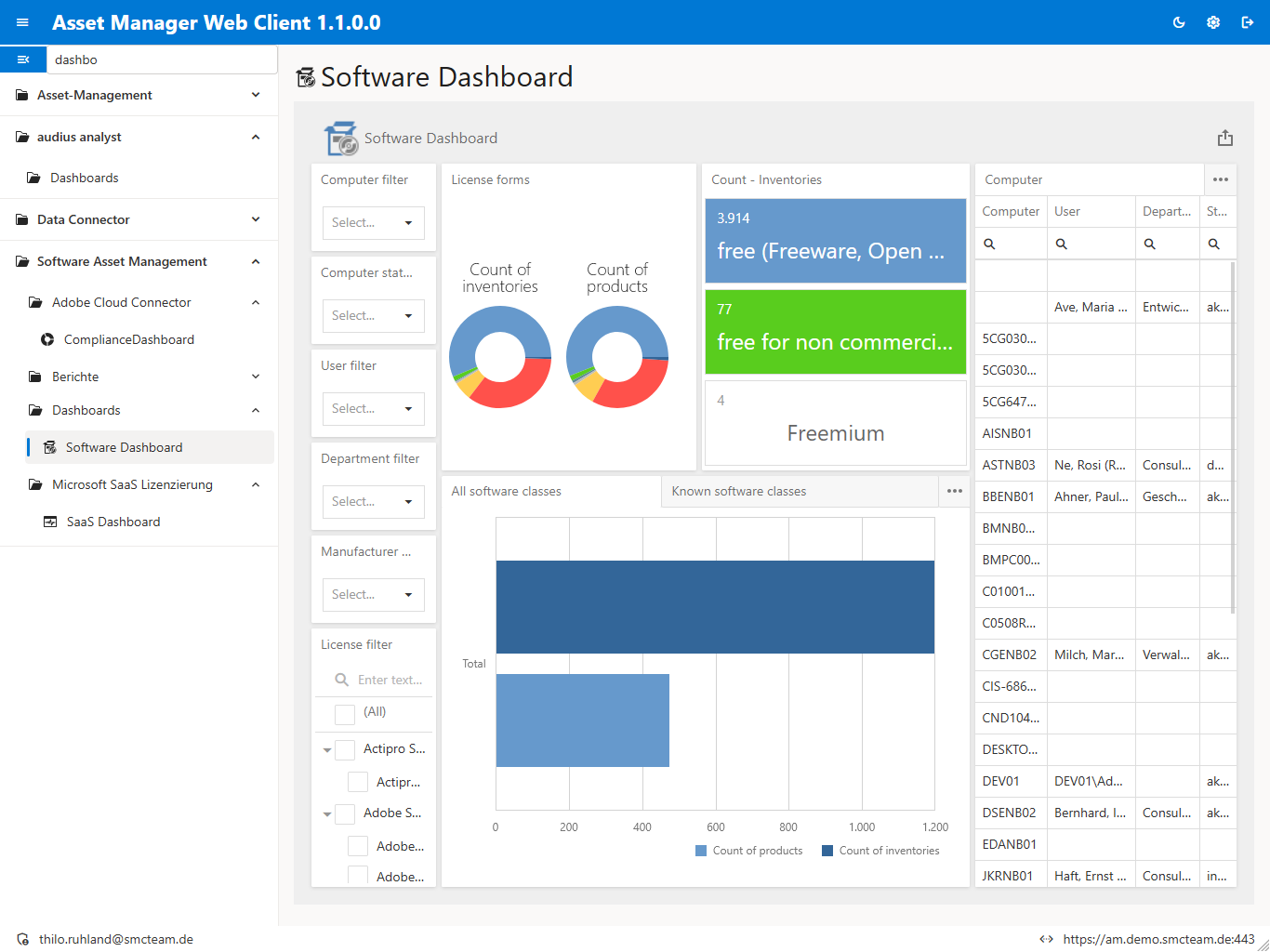
Comparison: Desktop version vs. Web Client
Similarities: Both versions—the classic desktop client and the new web client—access the same data in the Asset Manager Service (server). Regardless of which interface is used, all users work with the current, centralized database. The permissions system is also identical: access restrictions and roles are managed by the server and apply equally to both clients. The functional features (creating, editing, searching for assets, generating reports, etc.) are generally available in both interfaces, ensuring no disruption to workflows. For example, a user could enter data in the desktop app in the morning at the office and then access it and continue working in the web client while on the go in the afternoon.
Differences: The main difference lies in the technology and user interface: The desktop client is a Windows application that is installed locally and offers a traditional user interface (with ribbon menus, dialog boxes, etc.). The web client, on the other hand, runs in the browser, making it platform-independent and featuring a modern, flat design. Some interactions are naturally handled differently on the web—e.g., drag-and-drop or right-clicking—so alternative user interface concepts were implemented for the web client (such as menus that open by clicking on an icon). In terms of performance, the desktop client handles more processing on the user’s PC, while the Web Client processes more on the server—however, with a good network connection, this difference is barely noticeable.
Why the Web Client is a complement to the classic Asset Manager
The Web Client is intentionally designed as a complement to—not a replacement for—the classic Asset Manager desktop client. Both versions have their place and serve different needs in some cases:
- Coexistence: The provider continues to develop both front ends in parallel. Existing customers can continue to use the desktop client as usual and will continue to receive updates and support for it. The introduction of the Web Client does not, therefore, mean that the desktop client will be discontinued.
- Specialization by Use Case: The desktop client is ideal for intensive, long-term work at the workplace. Power users who work with Asset Manager for hours every day may appreciate the familiar Windows interface, potential integrations with Office (e.g., Excel export directly from the application), or potentially slightly faster access when processing large amounts of data. The Web Client, on the other hand, excels in mobile or spontaneous use cases where a Windows computer is not currently available or where installation is not worthwhile.
- Expanded user base: The Web Client now allows users who were previously excluded (e.g., external service providers or executives with MacBooks) to be included. However, these additional users access the same data pool with both read and write permissions, thereby increasing the system’s utility without disrupting existing workflows.
In summary, the Web Client does not compete with the Asset Manager but rather enhances its overall offering. It fills the gaps left by the desktop client (mobility, platform diversity). For many tasks, the desktop client remains a proven tool, particularly in the back office or for administrators. The Web Client expands the range of applications and ensures that asset management can truly take place anywhere.
Conclusion
The Asset Manager, combined with the new web client, offers users and decision-makers a comprehensive, flexible solution for asset management. All of an organization’s key assets are managed transparently and efficiently. The additional web interface makes the solution even more versatile: whether from an office PC or on the go via a tablet or smartphone, relevant information can be accessed and edited at any time.
-
Comprehensive Overview: A central database for all asset types provides complete transparency (“who has what”) and supports compliance and security.
-
Efficiency Gains: Automated processes and integration with existing systems reduce manual work and errors.
-
Flexible access options: Users can choose between the established desktop client or the new web client—depending on what the situation requires. No tie to a specific device or location.
-
Modern user experience: The web client stands out with contemporary usability, mobile capability, and attractive UI options (dark/light mode, responsive design), which promotes user adoption.
-
Future-proof technology: Thanks to .NET 8 and web technology, the Asset Manager is equipped for the future—including cloud operation, regular updates, and compatibility with new devices and operating systems.
Recommendations for different user groups:
- For full-time asset managers and administrators: These users, who work intensively with the system on a daily basis, can continue to rely on the powerful desktop client. It offers a familiar working environment and may provide slight performance advantages for certain actions. However, the web client is also available to them at any time as an alternative—for example, to work spontaneously from a home office without a VPN connection.
- For mobile employees and field staff: The Web Client is recommended here, as it runs seamlessly on mobile devices. Technicians, inventory clerks, or auditors can use it to work directly on-site without having to transfer data later.
- For managers and decision-makers: This group benefits greatly from the Web Client, as it allows them to access reports and dashboards quickly and without the need for installation. In meetings or on the go, all key metrics are just a login away.
- For occasional users: Employees who are rarely involved in asset management (e.g., to confirm inventories) should use the Web Client. It requires no training in specialized software—a link and the usual login are all that’s needed to complete tasks.
With the Asset Manager and the new Asset Manager Web Client together, companies receive a complete 360° solution for their asset management. Existing processes are not disrupted but are enhanced with additional capabilities. The future of asset management is thus secured both on the desktop and on the go in the browser—to the benefit of all user groups.