App Registration
An Azure application is required to access the Microsoft Graph API.
Creating the application is also a prerequisite for running the setup.
The following values are required to run the Azure Service Connector setup:
- Application ID
- Tenant ID
- Client Secret

The following steps describe how to register the app and generate the client secret:
Register the app in Azure
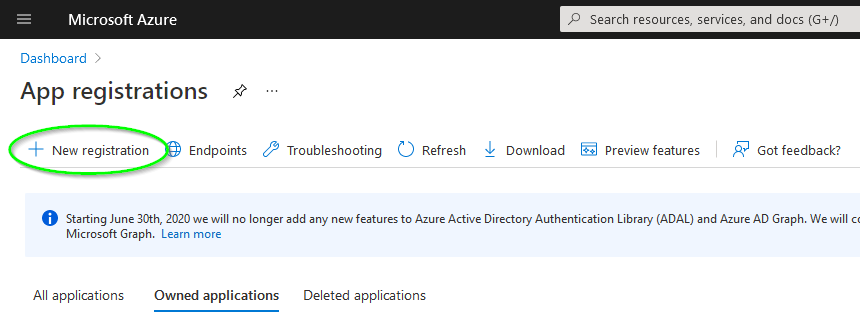
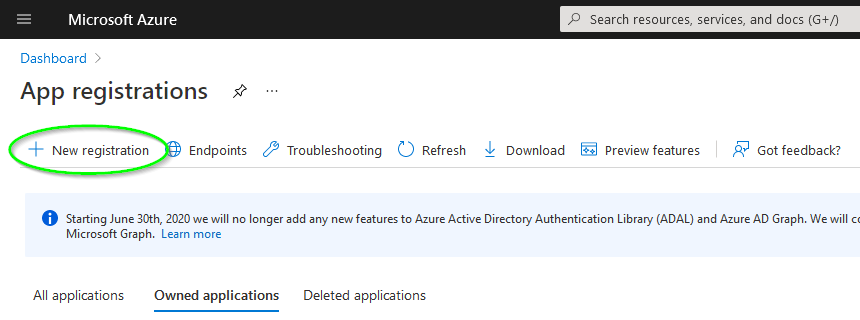
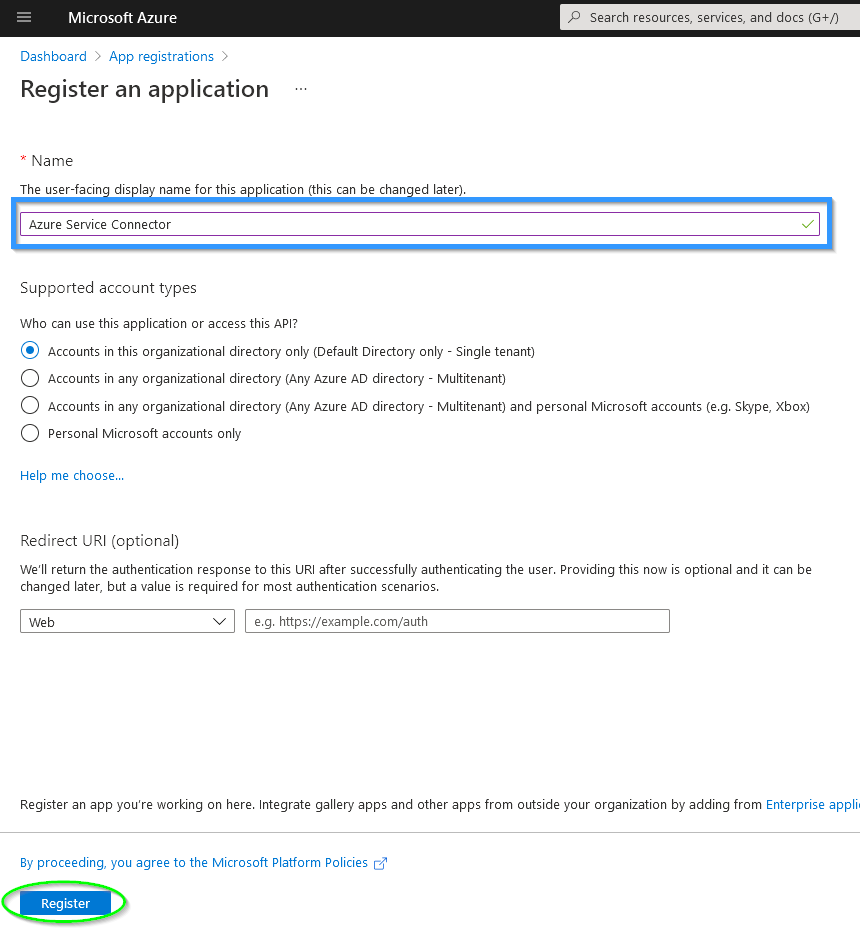
- The first step is to register a new app.
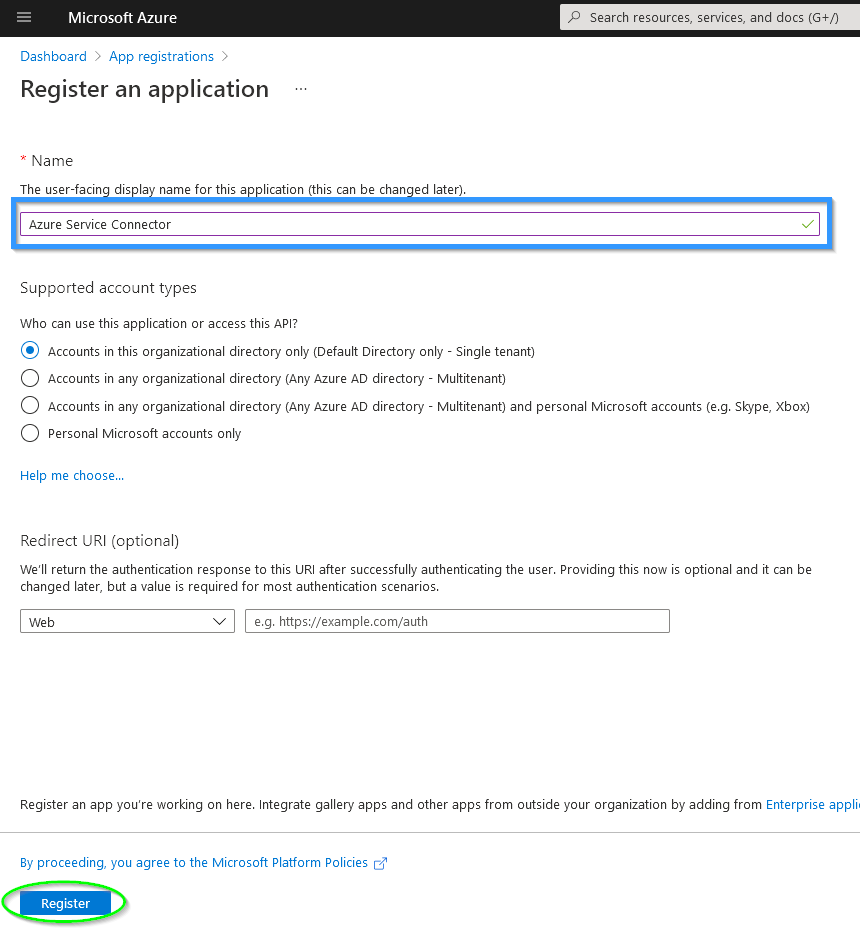
- To do this, you must enter a name—for example, “Azure Service Connector”—and confirm the entry by clicking OK.
Add API Permissions
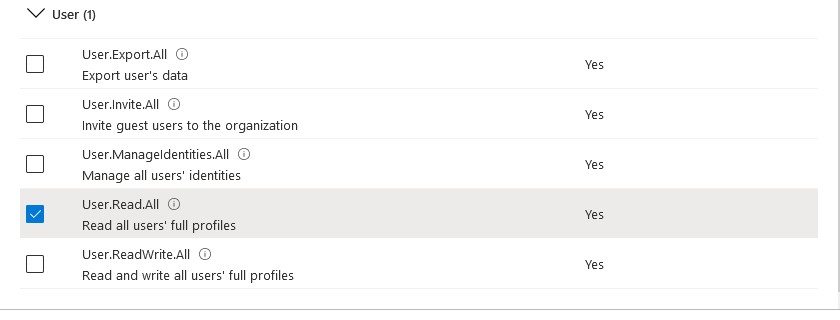
- The following permissions are required to access the Microsoft Graph API:
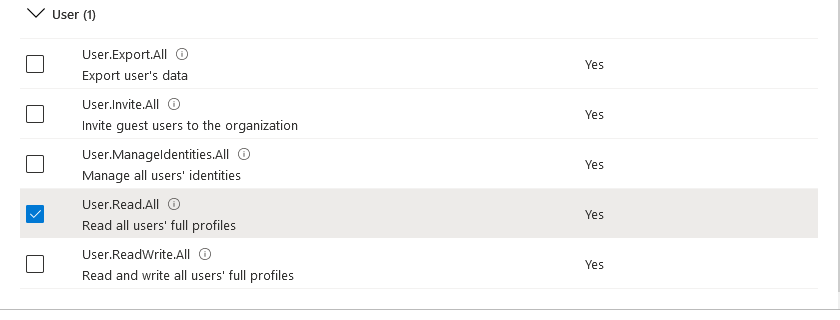
- User Read All
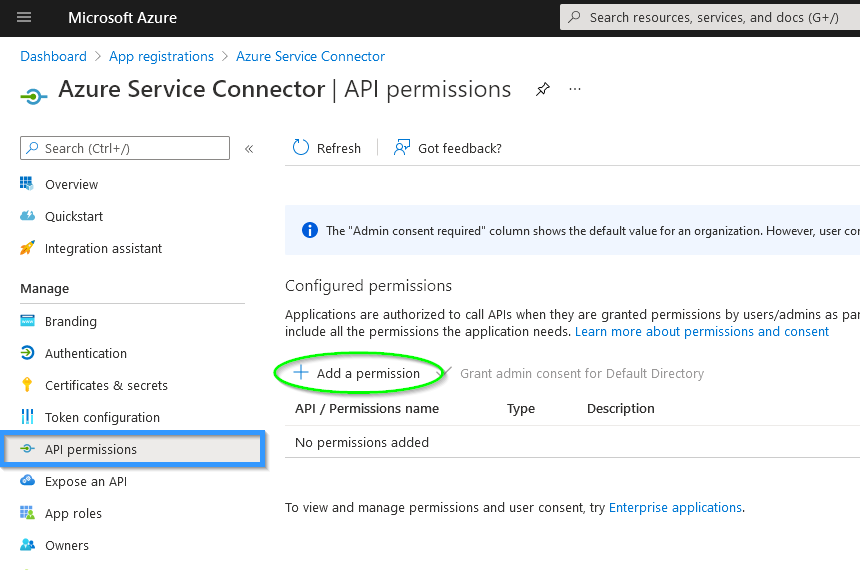
The required permissions are added on the API Permissions page.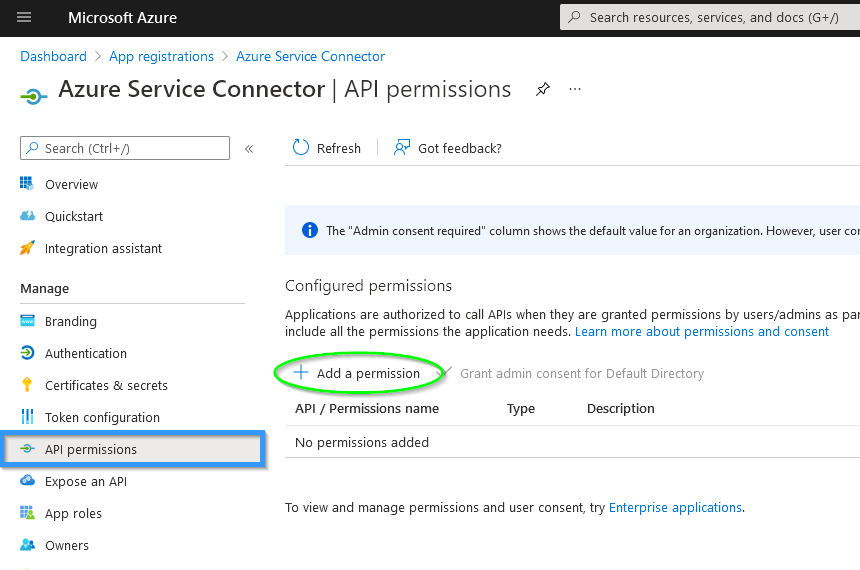
-
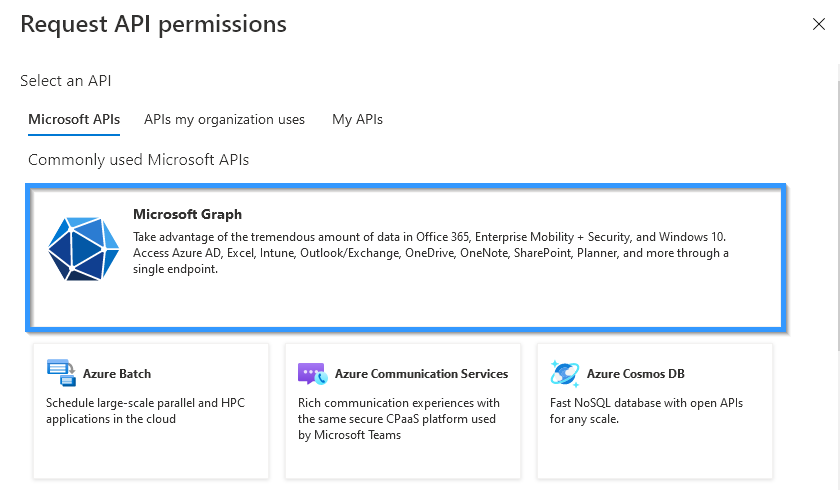
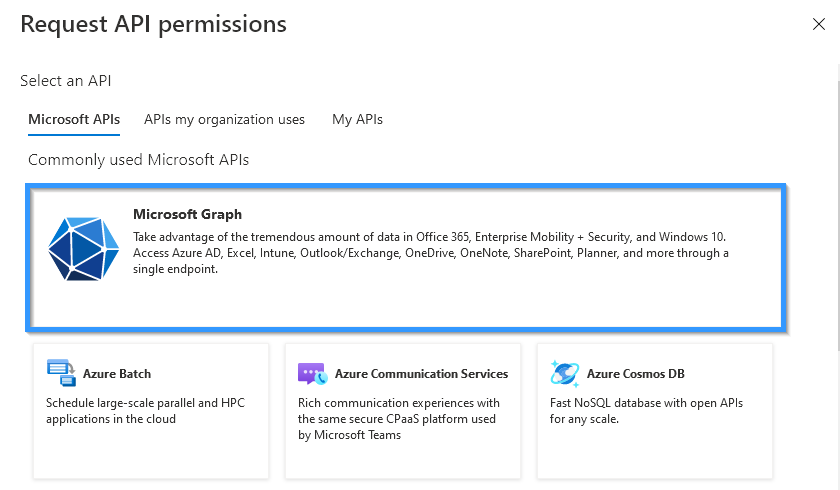
In the next dialog, select “Microsoft Graph” under the “Microsoft APIs” tab.
-
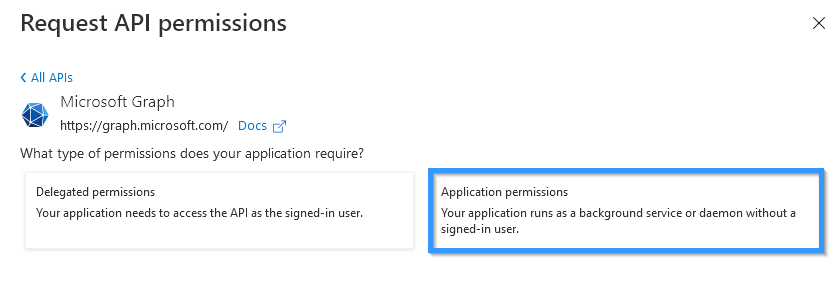
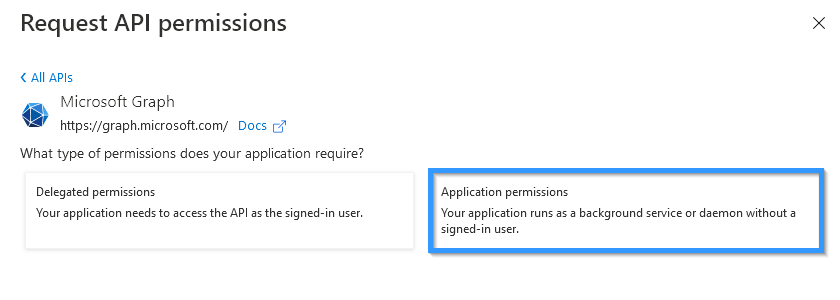
Access should be granted in the context of the Asset Manager Service.
-
User permissions: Read All
Generate a Client Secret
A client secret is sensitive security information.
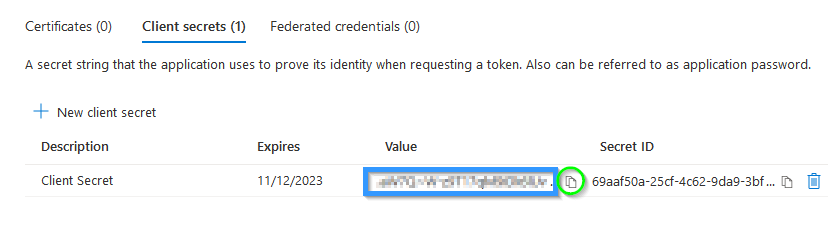
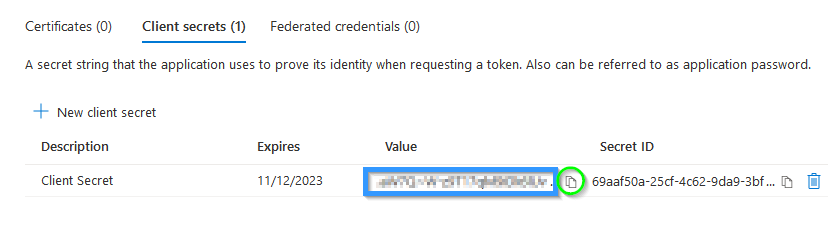
The client secret is only visible in plain text when it is created. Therefore, a copy should be saved for further configuration.
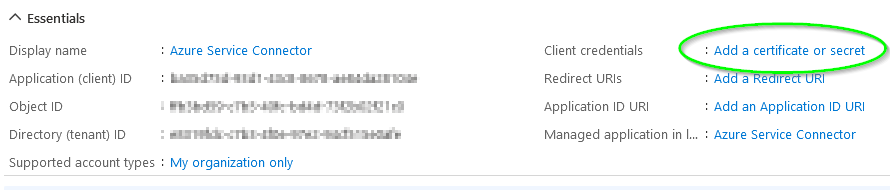
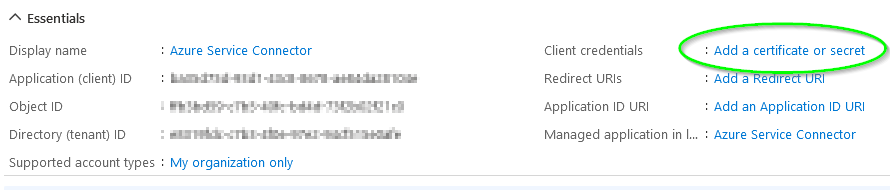
- To create a client secret, select “Add Certificate or Secret” under “Client Credentials” in the Azure Service Connector app overview.
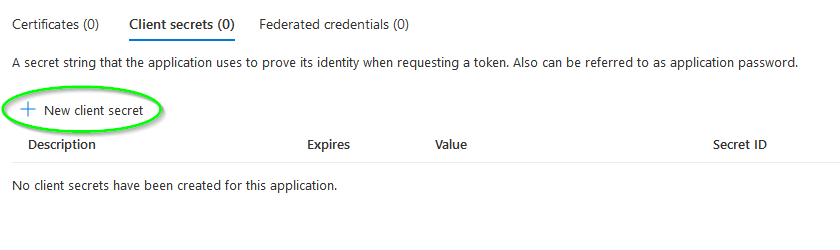
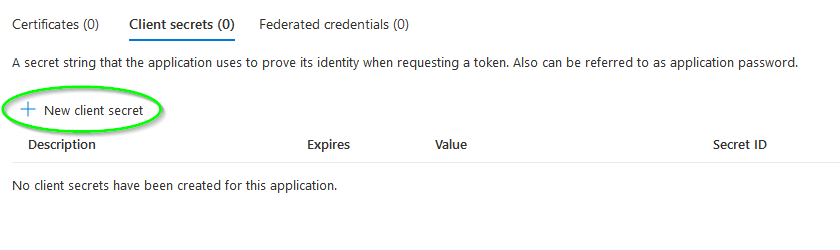
- A new client secret can be generated at any time in the “Client Secret” tab.
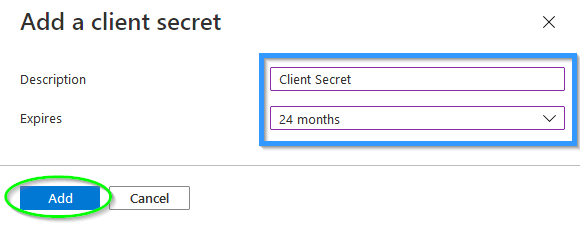
- When creating it, you must specify a validity period and can add a description.
If multiple different instances or installations are used to access the Microsoft Graph API, it is recommended to use a separate client secret for each instance or installation.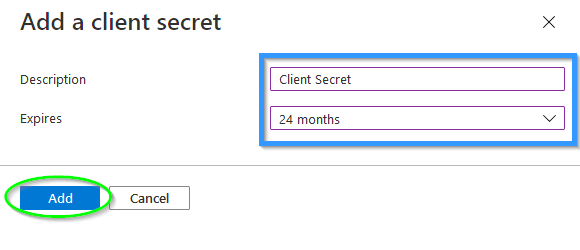
- The client secret is only visible in plain text when it is created. Therefore, you should save a copy for further configuration.